群晖Docker-compose搭建mihomo,实现NAS科学自由
本文中引用的群晖系统为:DSM7.21-69057,其它系统版本请自行测试。
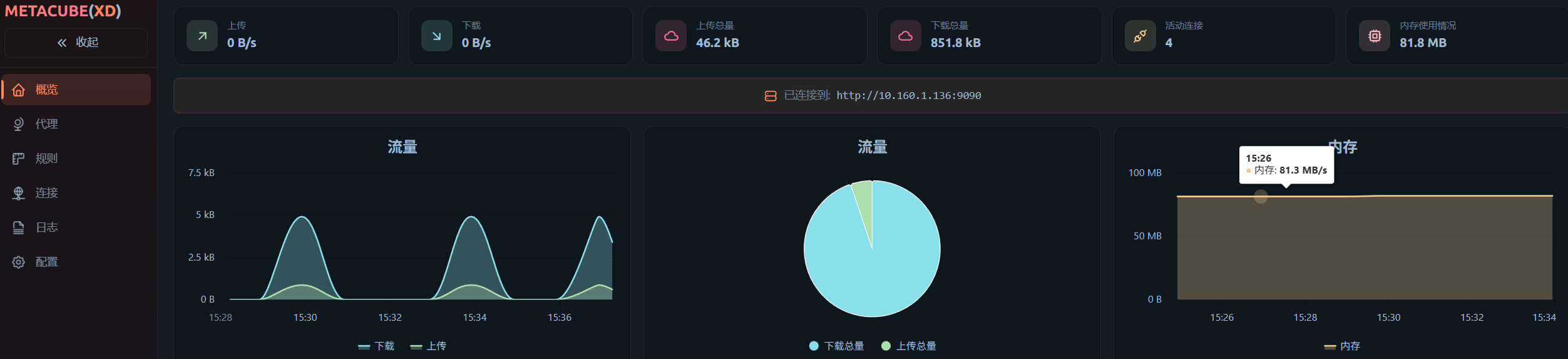
打开File station创建docker文件夹并在其目录下创建子文件夹mihome文件夹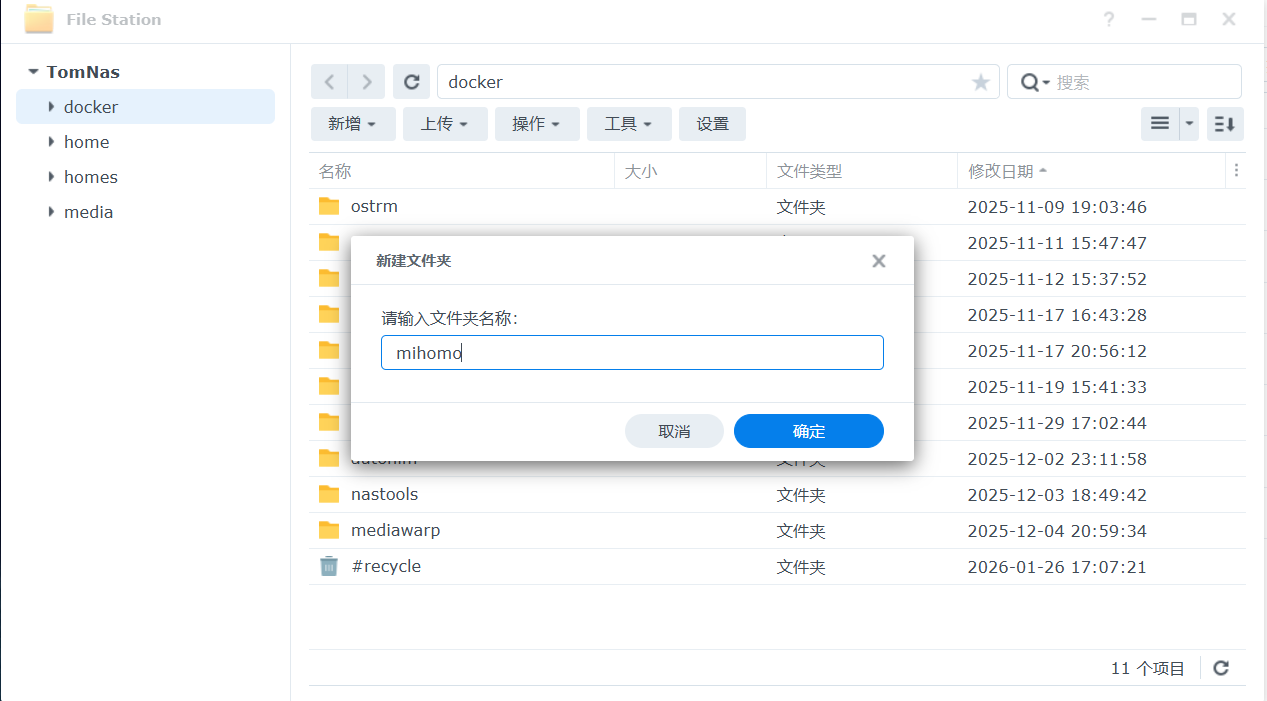
在mihomo下再创建名为:metacubexd的子文件夹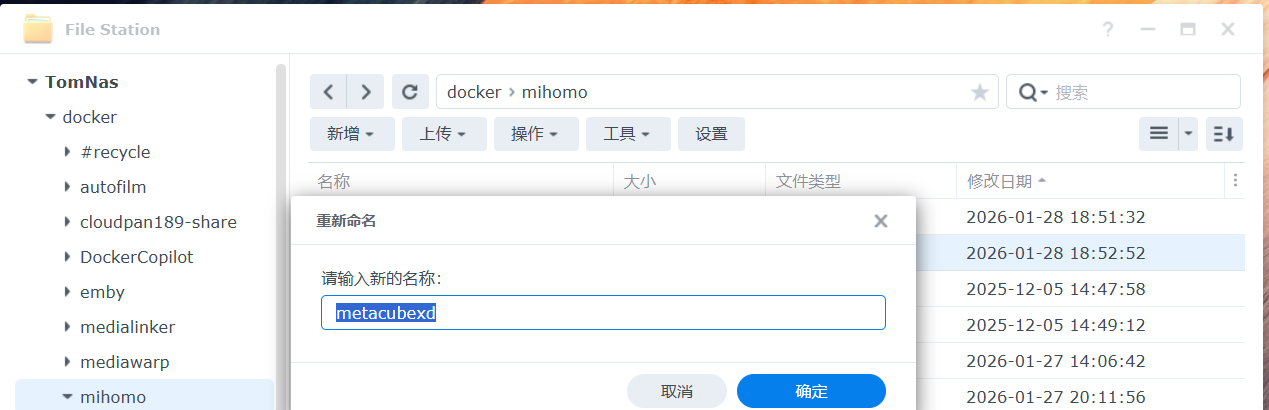
上传3个核心文件到mihomo文件夹下。下载地址:点我(也可自行去Github仓库下载名为GeoIP.dat、geoid.metadb、geosite.dat的三个文件:点我 )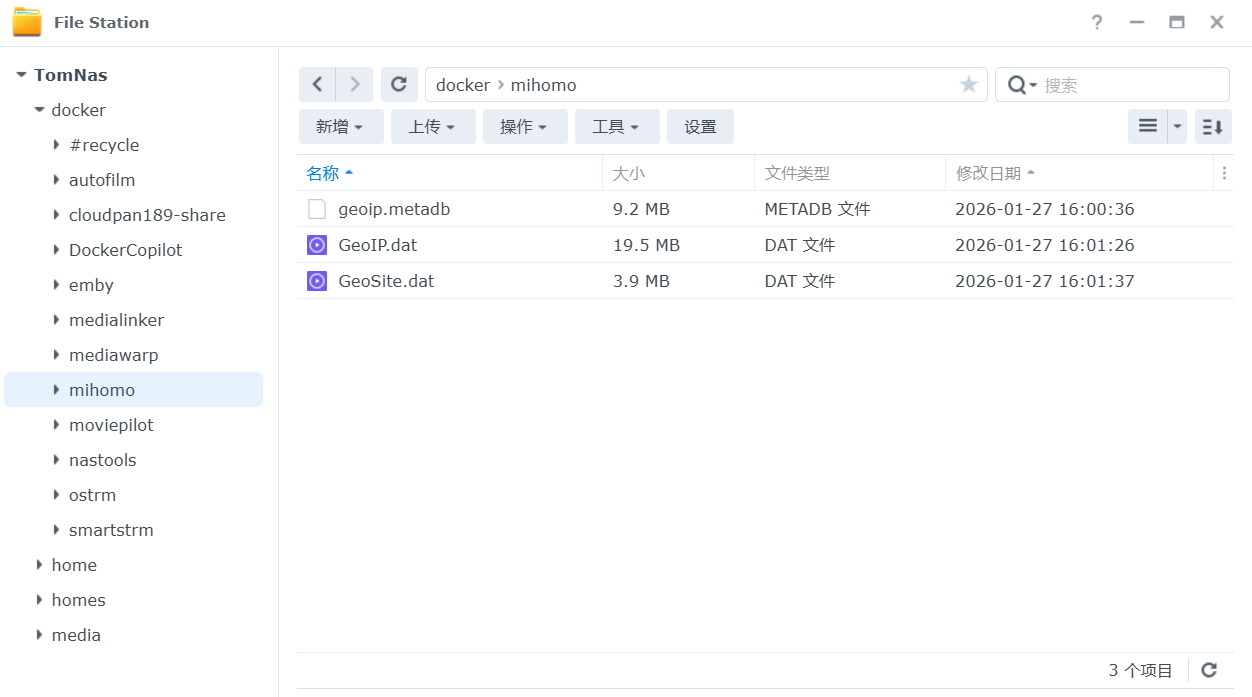
创建config.yaml文件,附代码如下;在proxy-providers处替换自己的订阅名称、链接、前缀,保存好后上传到mihomo文件夹内。
点击折叠
mixed-port: 7890
allow-lan: true
bind-address: '*'
mode: rule
log-level: info
external-controller: '0.0.0.0:9090'  #前面换成你群晖的IP地址

tun:
  enable: true
  stack: mixed
  dns-hijack:
    - "any:53"
    - "tcp://any:53"
  auto-route: true
  auto-redirect: true
  auto-detect-interface: true

proxy-providers:
  xxx节点名称自己改:
    url: "此处粘贴你的机场订阅地址"
    type: http
    interval: 86400
    health-check: {enable: true,url: "https://www.gstatic.com/generate_204", interval: 300}
    override:
      additional-prefix: "节点名称自己改"

proxies:
  - name: "直连"
    type: direct
    udp: true

geodata-mode: true
geox-url:
  geoip: "https://mirror.ghproxy.com/https://github.com/MetaCubeX/meta-rules-dat/releases/download/latest/geoip-lite.dat"
  geosite: "https://mirror.ghproxy.com/https://github.com/MetaCubeX/meta-rules-dat/releases/download/latest/geosite.dat"
  mmdb: "https://mirror.ghproxy.com/https://github.com/MetaCubeX/meta-rules-dat/releases/download/latest/country-lite.mmdb"
  asn: "https://mirror.ghproxy.com/https://github.com/xishang0128/geoip/releases/download/latest/GeoLite2-ASN.mmdb"

dns:
  enable: true
  ipv6: true
  respect-rules: true
  enhanced-mode: fake-ip
  fake-ip-filter:
    - "*"
    - "+.lan"
    - "+.local"
    - "+.market.xiaomi.com"
  nameserver:
    - https://120.53.53.53/dns-query
    - https://223.5.5.5/dns-query
  proxy-server-nameserver:
    - https://120.53.53.53/dns-query
    - https://223.5.5.5/dns-query
  nameserver-policy:
    "geosite:cn,private":
      - https://120.53.53.53/dns-query
      - https://223.5.5.5/dns-query
    "geosite:geolocation-!cn":
      - "https://dns.cloudflare.com/dns-query"
      - "https://dns.google/dns-query"

proxy-groups:

  - name: 默认
    type: select
    proxies: [自动选择,直连,香港,台湾,日本,新加坡,美国,其它地区,全部节点]

  - name: Google
    type: select
    proxies: [默认,香港,台湾,日本,新加坡,美国,其它地区,全部节点,自动选择,直连]

  - name: Telegram
    type: select
    proxies: [默认,香港,台湾,日本,新加坡,美国,其它地区,全部节点,自动选择,直连]

  - name: Twitter
    type: select
    proxies: [默认,香港,台湾,日本,新加坡,美国,其它地区,全部节点,自动选择,直连]

  - name: 哔哩哔哩
    type: select
    proxies: [默认,香港,台湾,日本,新加坡,美国,其它地区,全部节点,自动选择,直连]

  - name: 巴哈姆特
    type: select
    proxies: [默认,香港,台湾,日本,新加坡,美国,其它地区,全部节点,自动选择,直连]

  - name: YouTube
    type: select
    proxies: [默认,香港,台湾,日本,新加坡,美国,其它地区,全部节点,自动选择,直连]

  - name: NETFLIX
    type: select
    proxies: [默认,香港,台湾,日本,新加坡,美国,其它地区,全部节点,自动选择,直连]

  - name: Spotify
    type: select
    proxies:  [默认,香港,台湾,日本,新加坡,美国,其它地区,全部节点,自动选择,直连]

  - name: Github
    type: select
    proxies:  [默认,香港,台湾,日本,新加坡,美国,其它地区,全部节点,自动选择,直连]

  - name: 国内
    type: select
    proxies:  [直连,默认,香港,台湾,日本,新加坡,美国,其它地区,全部节点,自动选择]

  - name: 其他
    type: select
    proxies:  [默认,香港,台湾,日本,新加坡,美国,其它地区,全部节点,自动选择,直连]

  #分隔,下面是地区分组
  - name: 香港
    type: select
    include-all: true
    filter: "(?i)港|hk|hongkong|hong kong"

  - name: 台湾
    type: select
    include-all: true
    filter: "(?i)台|tw|taiwan"

  - name: 日本
    type: select
    include-all: true
    filter: "(?i)日|jp|japan"

  - name: 美国
    type: select
    include-all: true
    filter: "(?i)美|us|unitedstates|united states"

  - name: 新加坡
    type: select
    include-all: true
    filter: "(?i)(新|sg|singapore)"

  - name: 其它地区
    type: select
    include-all: true
    filter: "(?i)^(?!.*(?:|||||港|hk|hongkong|台|tw|taiwan|日|jp|japan|新|sg|singapore|美|us|unitedstates)).*"

  - name: 全部节点
    type: select
    include-all: true

  - name: 自动选择
    type: url-test
    include-all: true
    tolerance: 10

rules:
  - GEOIP,lan,直连,no-resolve
  - GEOSITE,github,Github
  - GEOSITE,twitter,Twitter
  - GEOSITE,youtube,YouTube
  - GEOSITE,google,Google
  - GEOSITE,telegram,Telegram
  - GEOSITE,netflix,NETFLIX
  - GEOSITE,bilibili,哔哩哔哩
  - GEOSITE,bahamut,巴哈姆特
  - GEOSITE,spotify,Spotify
  - GEOSITE,CN,国内
  - GEOSITE,geolocation-!cn,其他

  - GEOIP,google,Google
  - GEOIP,netflix,NETFLIX
  - GEOIP,telegram,Telegram
  - GEOIP,twitter,Twitter
  - GEOIP,CN,国内
  - MATCH,其他
docker-coppose方式安装mihomo项目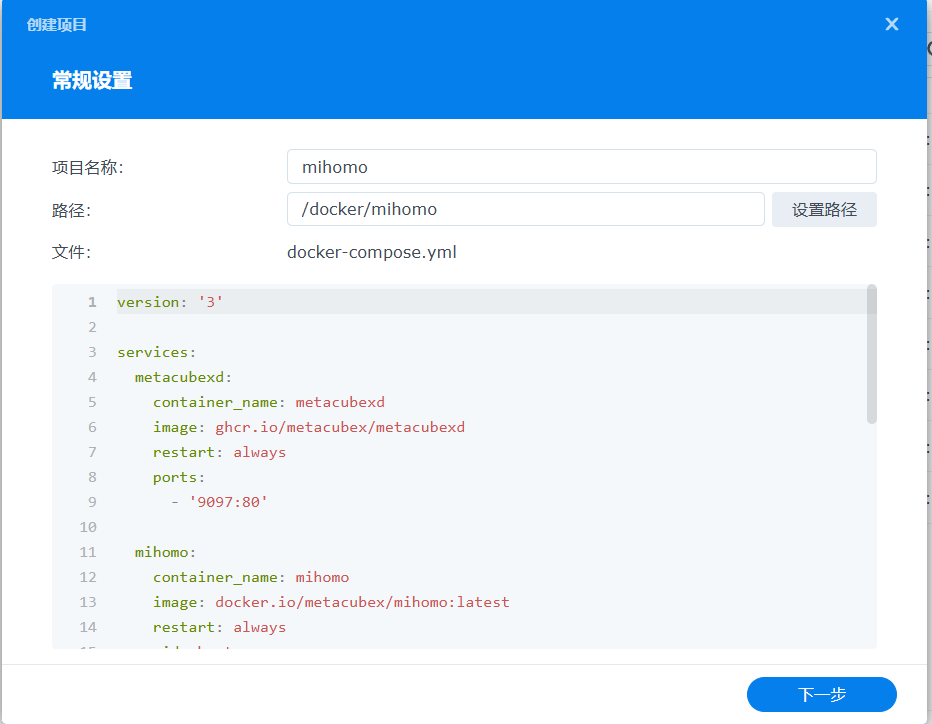
docker-compose代码如下:
点击折叠
version: '3'

services:
  metacubexd:
    container_name: metacubexd
    image: ghcr.io/metacubex/metacubexd
    restart: always
    ports:
      - '9097:80'

  mihomo:
    container_name: mihomo
    image: docker.io/metacubex/mihomo:latest
    restart: always
    pid: host
    ipc: host
    network_mode: host
    cap_add:
      - ALL
    volumes:
      - /volume1/docker/mihomo:/root/.config/mihomo  #如果你的路径和这个不一样自行更改
      - /dev/net/tun:/dev/net/tun
      - /volume1/docker/mihomo/metacubexd:/config/caddy  #如果你的路径和这个不一样自行更改
等待镜像拉取完成......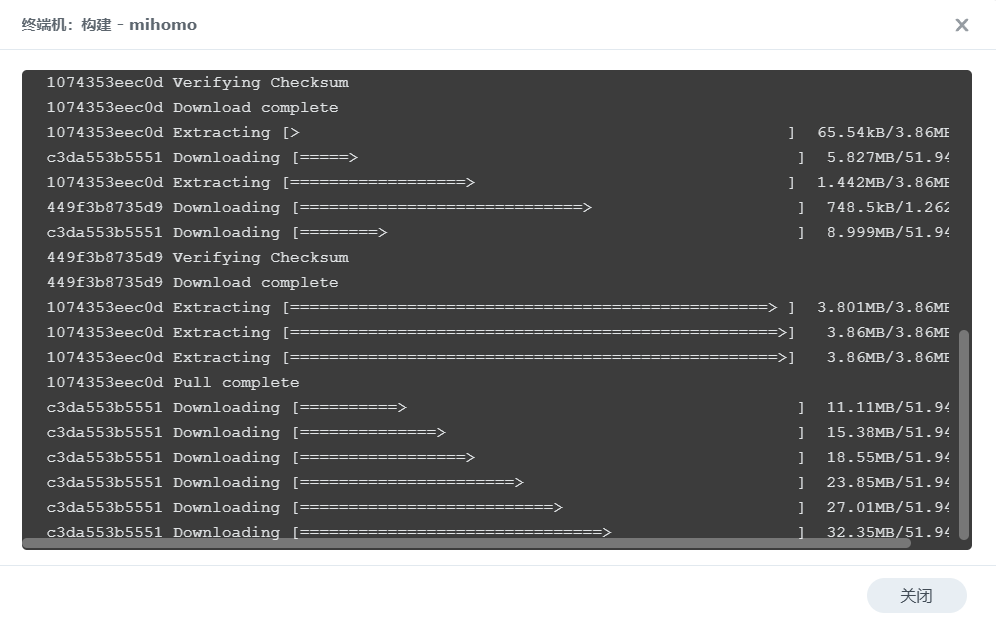
如果出现如下代码,是因为群晖 DSM 本身就没有 /dev/net/tun,并不是 Docker 的问题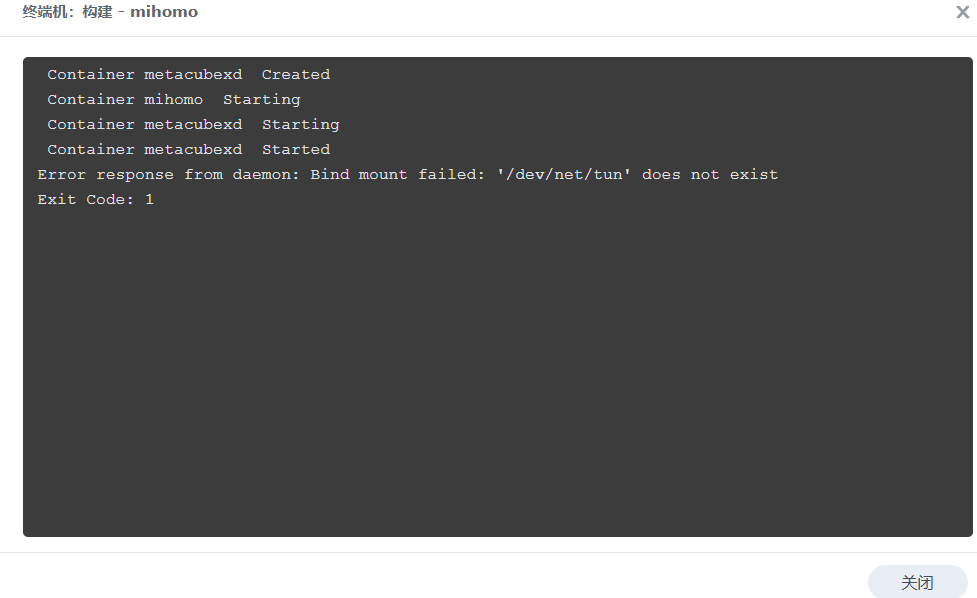
参考网上大佬们的解决办法,打开群晖 控制面板 ,选择 任务计划
新增-触发的任务-用户定义的脚本任务名称:
WOL,用户账号:root,事件:开机,点击确定用户定义的脚本粘贴下面代码后点击确定
if [ ! -c /dev/net/tun ]; then
    mkdir -p /dev/net
    mknod /dev/net/tun c 10 200
    chmod 600 /dev/net/tun
fi
弹出确定后输入密码即可
在
任务计划中查看是否勾选已启动 (若还是出现错误提示请重启群晖系统)
最后浏览器输入群晖的IP地址+9097端口访问(如出现报错请使用无痕浏览模式)后端地址输入群晖IP+9090端口即可进入。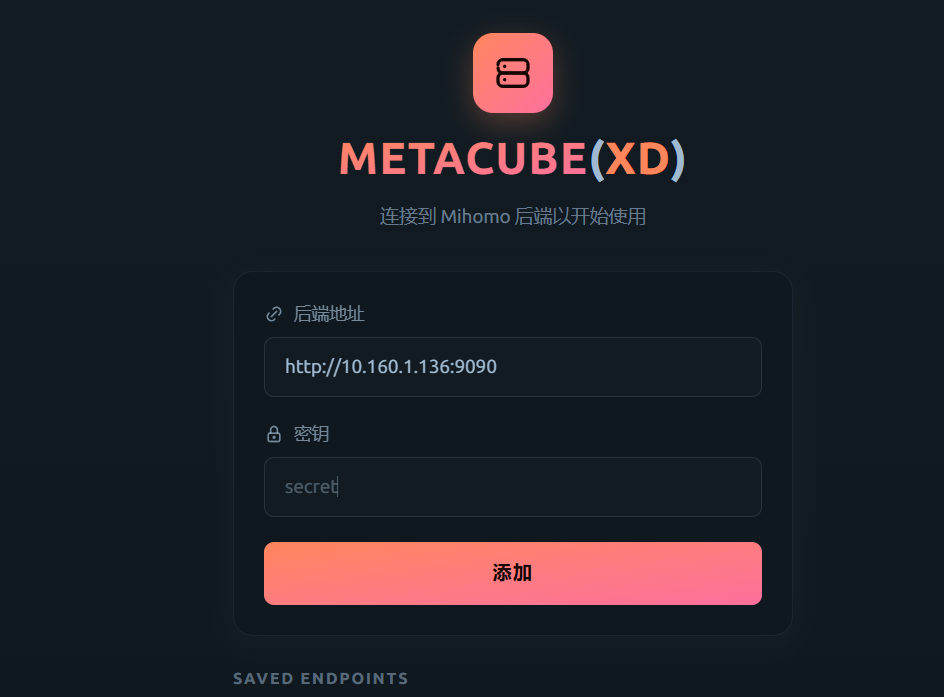
如果你的机场订阅正常,就应该已经可以科学了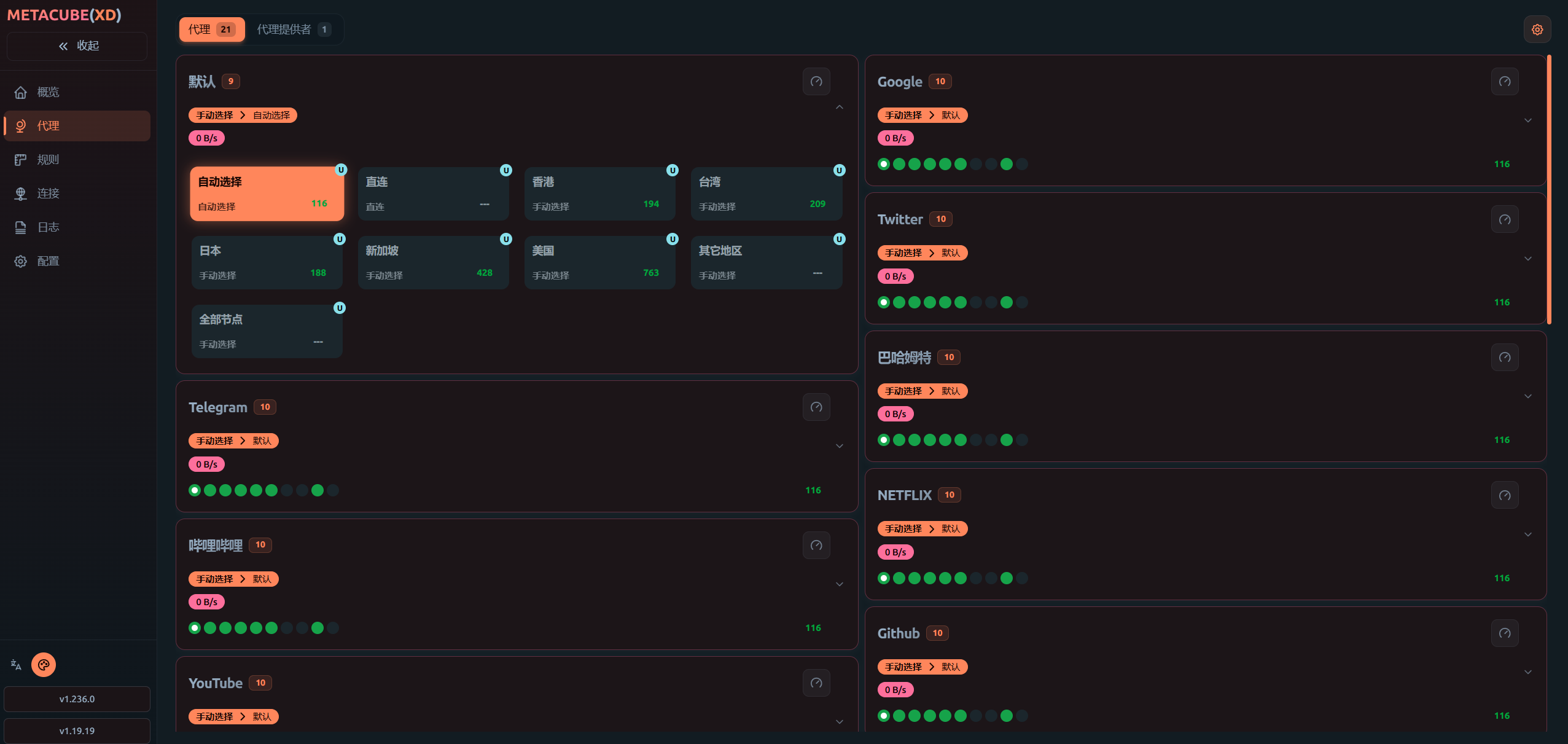
OVER~~
群晖Docker-compose搭建mihomo,实现NAS科学自由
https://22.3344567.xyz/archives/JUkPgndl